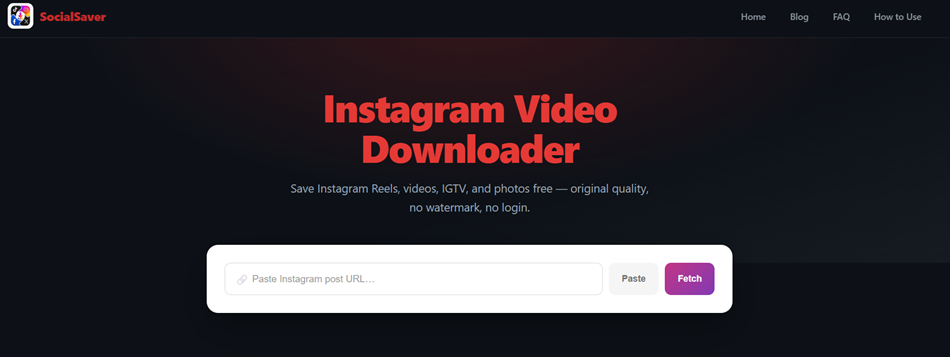
Instagram Video Downloader Guide: Reels, Posts, and Photos Explained for 2026
An Instagram video downloader saves public Reels, video posts, and photos from Instagram as MP4 and JPEG files you can keep offline. You copy the post link, paste it into the downloader, and save the file in seconds, with no app or account. This guide shows the four steps, which Instagram formats download and which never will, and why Instagram's own save button changes your file. It also covers carousels, silent Reels, and the limits of private content, so you know what to expect before you paste a single link.
Key facts at a glance
Output: Reels and videos save as MP4; photos save as JPEG.
Access: public accounts only; private accounts stay locked.
Watermark: link downloads stay clean; Instagram's own save adds a logo and username.
Not supported: Stories and Highlights.
Cost: free, with no login and no daily limit.
An Instagram Video Downloader Turns One Pasted Link Into a Clean MP4
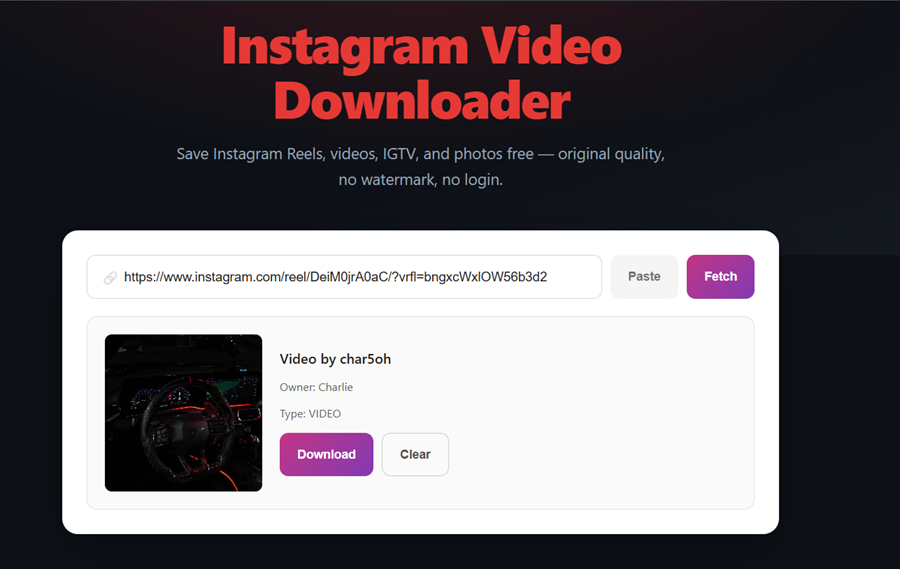
An Instagram video downloader converts a public post link into a file stored on your own device. The tool reads the link, locates the media Instagram already serves to viewers, and returns it as an MP4 video or a JPEG photo. Many people search for the same thing as an Instagram downloader, an insta downloader, or an IG downloader; all three describe this paste-and-fetch process.
socialsaver.net runs this process in the browser, so nothing installs on your phone or computer. The [socialsaver.net Instagram Reels and video downloader](LINK: Tool-IG) accepts Reel, post, and legacy IGTV links. It returns the original file without adding a logo or username. It needs only the public link, never your Instagram password, and it sets no daily cap on how many files you save. The output is the same on every device: an MP4 for video and a JPEG for images.
Demand for this is large and growing. Instagram reached 3 billion monthly active users in September 2025, and 80% of U.S. adults aged 18 to 29 use it, according to Pew Research Center. The same paste-and-fetch method also works for Facebook, TikTok, and X, as the complete guide to downloading videos from Facebook, Instagram, TikTok, and X explains. Before pasting a link, it helps to know which Instagram formats cooperate.
Reels, Carousels, Stories: 8 Instagram Formats and Which Ones Never Download
Instagram publishes eight main content formats, and six of them download from a public account. Each format has its own link pattern, which is the quickest way to check what a link will return.
Instagram format | Link pattern | Downloads as | Supported |
Reel | instagram.com/reel/ | MP4 video | Yes |
Video post | instagram.com/p/ | MP4 video | Yes |
Photo post | instagram.com/p/ | JPEG image | Yes |
Carousel post | instagram.com/p/ | MP4 or JPEG per item | Yes, one item at a time |
Legacy IGTV video | instagram.com/tv/ | MP4 video | Yes |
Reel cross-posted to Facebook | instagram.com/reel/ | MP4 video | Yes |
Story | instagram.com/stories/ | Nothing | No, links expire |
Highlight | instagram.com/stories/highlights/ | Nothing | No, built from Stories |
Two patterns explain almost every result. First, only public content downloads, because Instagram serves private posts to approved followers alone. Second, every photo or video is a separate file, so a post with several items returns several downloads.
Reels and video posts share one output, the MP4 file, which plays on almost every phone, tablet, and computer without extra software. Photo posts return JPEG, the most widely supported image format.
The table also shows a quick diagnostic: a link containing /stories/ will never download, while /reel/, /p/, and /tv/ links will. With the right link in hand, the download itself takes four steps.
How to Download Instagram Videos and Reels in 4 Steps, With No App or Login
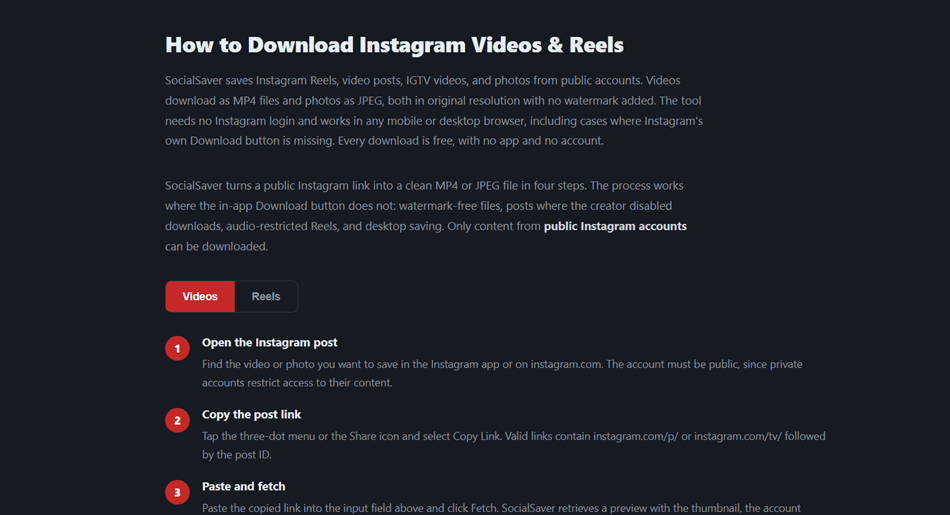
Instagram Reels download the same way on iPhone, Android, and desktop: copy the link, paste it, fetch, and save. The whole process takes less than a minute and runs in any modern browser.
Open the Reel or post: Find the video or photo in the Instagram app or on instagram.com. The account must be public.
Copy the link: Tap the share icon or the three-dot menu and choose Copy link. On desktop, copy the URL from the address bar.
Paste it into socialsaver.net: Open the Instagram tab on socialsaver.net, paste the link, and tap Fetch. A preview loads with the thumbnail and account name.
Download the file: Tap Download to save the Instagram video as an MP4, or the photo as a JPEG, in its original quality.
If the preview does not load, check the link first. A link copied from a profile page or a Story holds no single post, so copy it again from the post's own share menu. Links to Reels, posts, and IGTV videos all work in the same paste box.
The file lands in your device's default download location:
Where your Instagram download saves
├── iPhone / iPad ... Files app > Downloads > (share to Photos for camera roll)
├── Android ......... Downloads folder, often shown in the gallery
└── Windows / Mac ... Downloads folder (change it in browser settings)
A downloaded file from this method differs in one important way from the file Instagram's own save button produces.
Instagram's Own Save Button Stamps Your Username and Strips the Music
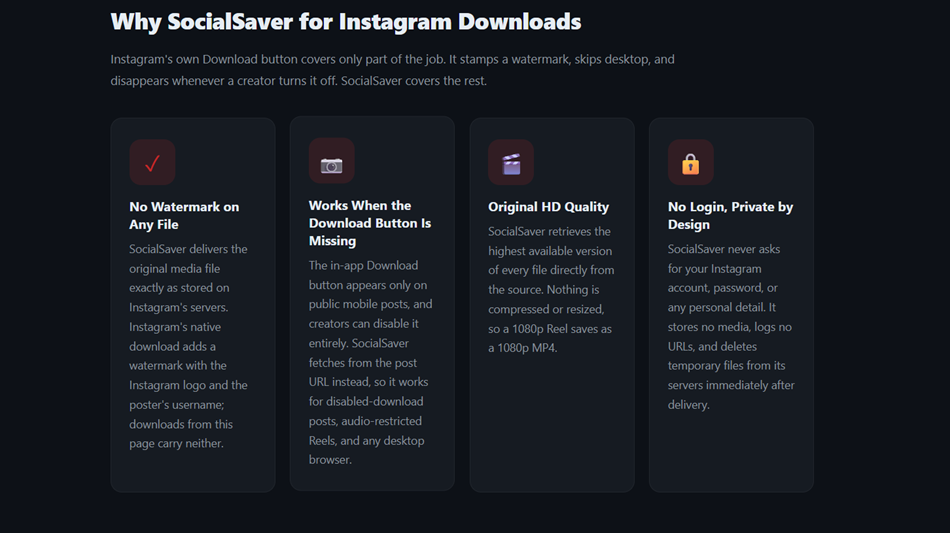
Instagram's built-in Reel download adds the Instagram logo and the account's username to every saved file. Instagram opened this feature to all users worldwide in November 2023, and downloaded Reels carry the watermark and lose licensed music, while original audio stays. An Instagram reel downloader that works from the link returns the clean original instead, which is what most searches for an Instagram video downloader without mark are really asking for.
The built-in option also disappears often, and there is a clear cause. Creators can switch it off under Settings > Privacy > Reels and Remix by turning off "Allow people to download your Reels." Private accounts never show it, and photo posts do not offer it at all.
Feature | Instagram's built-in save | |
Watermark | Instagram logo plus username | None added |
Licensed music | Removed | Kept as served |
Availability | Only when the creator allows it | Any public Reel or post |
Photos and carousels | Not offered | JPEG per item |
Desktop use | Mobile app only | Any browser |
The clean file matters most to creators. In February 2021, Instagram said that Reels "visibly recycled from other apps," including those with logos or watermarks, would become less discoverable in the Reels tab. An IG reel downloader that saves the file without a mark keeps the video ready for editing, archiving, or cross-platform work. TikTok stamps its own moving watermark too, which the TikTok video downloader guide to watermark-free files covers in detail. Photos and carousels follow their own simple rule.
One Carousel Holds 20 Photos or Videos, and Each Saves as Its Own File
Instagram photos download as JPEG files at the largest size Instagram serves for that post. The downloader returns the image exactly as stored, so no compression is added and no detail is invented.
Instagram's own app offers no download option for photos at all, which is why a link-based tool is the practical route for saving pictures. The JPEG keeps the original crop, whether the post was square, portrait, or landscape.
Carousel posts need one extra step. Since August 2024, a single carousel can hold up to 20 photos or videos, and each slide is a separate media file. socialsaver.net lists every item in the preview, so you save the slides you want one at a time. A carousel can mix photos and videos, and each slide keeps its own format: photos return as JPEG and video slides as MP4.
A few Instagram behaviours still catch people off guard, even after a successful download.
Silent Reels, Cross-Posted Reels, and Old IGTV Links: 3 Rules That Surprise Users
Three Instagram rules explain most unexpected download results. Each one comes from how Instagram stores the file, not from the downloader.
Silent Reels
A Reel that plays without sound on Instagram downloads without sound as well. Instagram removes licensed music from some Reels because of rights agreements, and once the track is removed at the source, the silent version is the only file that exists.
Cross-Posted Reels
A Reel shared from Instagram to Facebook is the same file on both platforms, because Meta runs one shared Reels system. It downloads identically from either link, and the [Facebook video downloader guide to Reels and HD downloads](LINK: H1) covers the Facebook side.
Old IGTV Links
Instagram retired the IGTV name and folded long videos into its main video format. Older instagram.com/tv/ links still point to the full video, so they download as a normal MP4.
These rules cover public content. Some Instagram formats stay out of reach entirely.
Stories, Highlights, and Private Accounts Stay Locked for a Reason
Stories, Highlights, and private accounts do not download because Instagram limits who can see them. A Story link expires after 24 hours, and Highlights are built from those same expiring Story files, so there is no lasting link to fetch.
Close Friends Stories are narrower still, since they appear only to a list the creator picks by hand. Highlights stay pinned to a profile, but pinning does not change the expiring file underneath.
Private accounts show their posts only to followers the owner approves. socialsaver.net respects that boundary and fetches public content only, which is also why it never asks for a login. Any site that claims to open private posts is either asking for your credentials or not telling the truth. To keep your own Stories, Instagram's Archive setting stores them in your account automatically.
Even with public content, what you do with a saved file matters as much as how you saved it.
Saving a Reel Is Personal Use, but Reposting It Needs the Creator's Permission
Saving a public Reel to watch later is a different act from reposting it on your own account. In the United States, the U.S. Copyright Office explains that fair use is judged through four factors: the purpose of the use, the nature of the work, the amount used, and the effect on the market.
Reposting someone else's video generally needs the creator's permission, and Instagram's Terms of Use set their own rules on sharing content. The safe habit is simple: download for personal viewing, credit the creator when sharing, and ask before reusing their work. This section is general information, not legal advice.
Frequently Asked Questions
Can I download Instagram videos on a PC without installing an app?
Yes. Instagram videos download on a PC through any desktop browser. Open the post on instagram.com, copy the link from the address bar, paste it into an online Instagram video downloader, and the MP4 saves to your Downloads folder without any installed software.
Can I download Instagram Reels in HD quality?
Yes, up to the quality the creator uploaded. A downloader returns the file Instagram already serves, so a Reel uploaded in high resolution saves in high resolution. No tool can add detail beyond the original upload, which caps the final quality of every download.
Does Instagram notify someone when I download their Reel?
No. Instagram does not notify creators when a public Reel or post is downloaded through a link-based tool. The only related alert covers screenshots of disappearing photos and videos in direct messages, which is a separate feature from downloading public content.
Is it safe to use an online Instagram downloader?
An online Instagram downloader is safe when it needs only a public post link. Avoid any site that asks for your Instagram password, a payment, or an app install. Fake download buttons and chains of pop-up redirects are the clearest warning signs.
Can I back up my own Instagram Reels and posts?
Yes. Downloading your own public Reels and posts is a common backup method, and the steps are identical. Instagram also offers a full account data download in its settings, which suits complete archives, while link downloads suit saving individual videos quickly.
Why does a Reel link sometimes fail to download?
A Reel link fails when the account is private, the post was deleted, or the link points to a Story or profile instead of a post. Temporary request limits can also block a fetch; waiting a few minutes usually solves it.